
AI Video Prompts
AI video prompts are detailed shot descriptions that tell a text-to-video model exactly what to render. This hub collects 1038 free, curated prompts across the three leading models — Seedance 2.0, Sora 2 and Veo 3.1 — with a side-by-side guide to which one to use. Copy any prompt, or click Recreate in ViralMint to generate it through the cloud for a few cents — no API key, no subscription.
| Model | Best for | Modes | Prompts | |
|---|---|---|---|---|
| Seedance 2.0ByteDance | Cinematic shorts, UGC & action with strong motionBest all-rounder / value | Text & image-to-video | 543 | Browse → |
| Grok ImaginexAI | Fast, expressive clips — memes & character workQuick + meme-friendly | Text & image-to-video | 387 | Browse → |
| Sora 2OpenAI | Physically accurate, photoreal scenesHighest fidelity, flagship cost | Text-to-video | 41 | Browse → |
| Veo 3.1Google | Native audio, talking heads & adsSynced audio out of the box | Text & image-to-video | 67 | Browse → |
Featured prompts
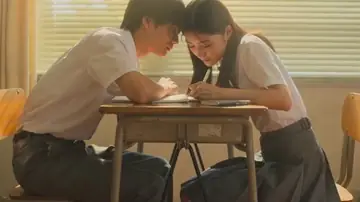
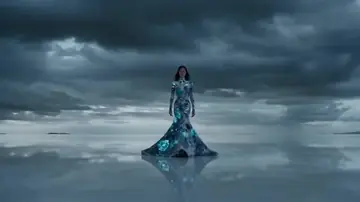
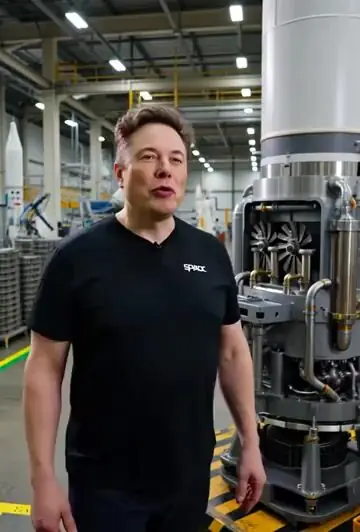

Seedance vs Grok vs Sora 2 vs Veo 3 — which prompt library?
The three models reward slightly different prompting. Seedance 2.0 is the best all-rounder for short-form: it handles fast motion, UGC and action cleanly and is the cheapest per clip, so it's the default for most TikTok/Reels work. Sora 2 leads on physical realism and complex scenes — reach for it when accuracy of motion and lighting matters more than cost. Veo 3.1 generates native synced audio, which makes it the pick for talking-head clips, ads and anything where lip-sync or sound design is part of the shot. Grok Imagine (xAI) is fast and expressive — strong on memes and character-driven clips when you want something punchy quickly.
In ViralMint you don't have to choose up front — open the AI Video tool, click Recreate on any prompt below, and switch the model in one dropdown. The prompt, aspect ratio and clip length prefill automatically, so you can A/B the same idea across all three models for a few cents each.
Frequently asked questions
Which AI video model should I use?
Use Seedance 2.0 for most short-form (great motion, best value), Sora 2 when you need the highest physical realism, and Veo 3.1 when you want native synced audio (talking heads, ads). ViralMint lets you switch between all three in one place.
Are these AI video prompts free?
Yes — every prompt is free to copy and download. Generating a clip from one costs a few cents in ViralMint (pay-as-you-go), with no subscription and no watermark.
What makes a good AI video prompt?
Describe the subject, then the camera move (e.g. 'slow dolly in'), then lighting and mood. Keep it under ~200 words, and mention physical interactions like 'wind through hair' to play to the models' simulation strengths.
Can I run these without an API key?
Yes. Open the AI Video tool in ViralMint's free desktop app, click Recreate on any prompt, and it generates through the cloud — no API key or subscription required.
Generate any prompt — no API key, no subscription
ViralMint is a free, open-source desktop app. Paste a prompt into the AI Video tool and render a finished clip with Seedance, Sora or Veo — pay-as-you-go, no watermark.