
Make FPV Drone Videos With AI
Canyon dives, rooftop sweeps and impossible one-take flythroughs — without a drone, a license or a location permit.
AI FPV drone video is first-person flythrough footage — the diving, swooping, racing-drone look — generated from a text description by a video model instead of flown with a real drone. Modern models handle the signature FPV motion (continuous forward momentum, banking turns, proximity flying) remarkably well, and they can fly shots that are physically impossible or illegal to film: through a closing door, down a waterfall, over an erupting volcano. ViralMint is a free, open-source desktop app that generates these clips through its AI Video tool on prepaid credits, then stitches multi-clip sequences with FFmpeg. Describe the route, the speed and the environment; the drone-style prompts below from the free libraries show the pattern that works.
How to make a FPV drone video with AI
-
Describe the flight path
Write the route as continuous motion: 'FPV drone dives off a sea cliff, skims the waves toward a lighthouse, pulls up through morning fog'. One continuous path per clip reads most like real FPV.
-
Add speed and proximity cues
Words like 'high-speed', 'skimming', 'threading between', 'inches from' push the model toward the aggressive proximity flying that defines the FPV look — versus a generic aerial shot.
-
Chain clips into a route
Generate 3-4 legs of the flight and merge them — cutting on fast motion hides the seams. Add a bass-heavy track from the AI Music tool and export 9:16 for Reels or 16:9 for YouTube.
Example prompts to start from
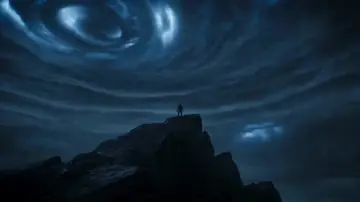
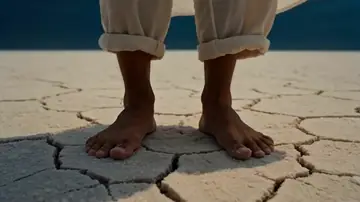
From ViralMint's free prompt libraries — click any card for the full prompt and recommended settings.



Frequently asked questions
Which model does the best FPV motion?
Seedance 2.0 and Sora 2 handle continuous high-speed camera motion best in our testing; Grok Imagine is a fast, cheap option for action-style passes. A/B the same route prompt across models and keep the smoothest take.
Can it fly through places drones can't?
Yes — that's the point. Interiors, wildlife close-passes, national parks, disaster scenes, fantasy environments: if you can describe it, the model can fly it. No permits, no geofencing, no crash risk.
How do I make it loop for social?
Prompt the last leg to end where the first began ('…pulls up to reveal the same cliff edge') and trim on the motion match. Looping FPV clips are strong performers as ambient/background content.
Make your first {page.styleName} today
ViralMint is a free, open-source desktop app. No subscription — top up credits and pay cents per generation.