
Make 3D Animation With AI
Pixar-style characters, isometric worlds, spinning product renders — the 3D look without touching a 3D program.
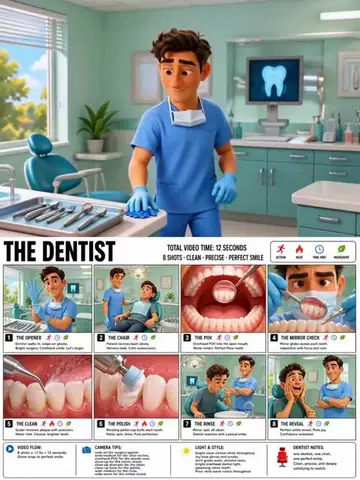
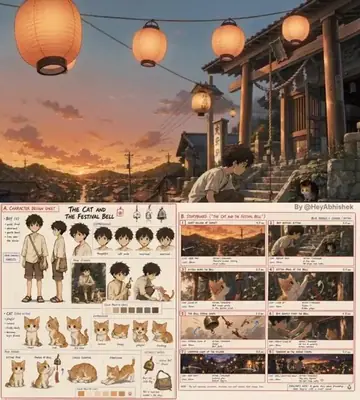
AI 3D animation generates the rendered look — stylized characters with subsurface-scattered skin, isometric miniature worlds, glossy product renders in motion — directly from a text prompt, skipping the modeling, rigging and render-farm pipeline that makes real 3D production slow and expensive. The models have seen enough rendered content that 'Pixar-style', 'octane render', 'isometric low-poly' and 'claymation' function as reliable style switches. ViralMint runs this through its AI Video tool ($0.25-0.75 per clip), with a strong two-step workflow for control: generate the exact 3D still you want with the AI Image tool first (the free 3D-render prompt collections below help), then animate it with image-to-video so the design carries into motion.
How to make a 3D animation video with AI
-
Design the frame as a still
Nail the 3D look in the AI Image tool first — 'isometric cutaway of a cozy coffee shop, soft global illumination, octane render'. Stills iterate in seconds and cents; motion is where you spend.
-
Animate with image-to-video
The approved still becomes the first frame; prompt the motion ('gentle camera orbit, steam rising, characters moving inside'). The design survives into animation because it IS the starting frame.
-
Cut a sequence
Repeat per scene with a consistent style block, merge, score and caption. A 30-second '3D short' is 5-6 animated scenes — an afternoon and a few dollars, not a render farm.
Example prompts to start from
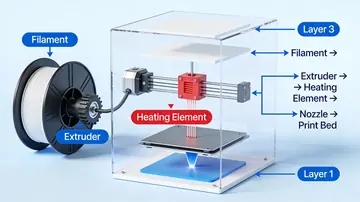
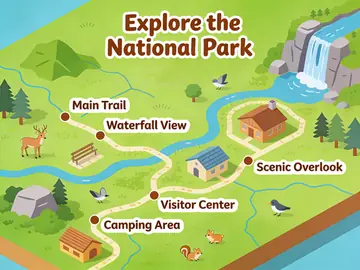
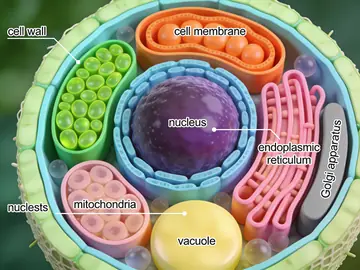
From ViralMint's free prompt libraries — click any card for the full prompt and recommended settings.
Frequently asked questions
Is this real 3D — can I change the camera afterward?
No — it's video that looks rendered, not a scene file. You direct the camera in the prompt, not in post. For content (shorts, ads, explainers) that trade-off is fine; for assets needing re-lighting or new angles, real 3D still wins.
Can it look like a Pixar movie?
The style, convincingly: stylized characters, soft lighting, expressive materials. Sustained character acting across scenes is the current limit — keep character shots short and let environment shots carry the runtime.
What about claymation and stop-motion looks?
Both prompt reliably — 'claymation style, visible fingerprints, stop-motion cadence' produces the handmade jitter that reads as charm. The animation categories in the free prompt libraries below include working examples.
Make your first {page.styleName} today
ViralMint is a free, open-source desktop app. No subscription — top up credits and pay cents per generation.